 tweethustler.com
How to install after you clicked the orange install button above
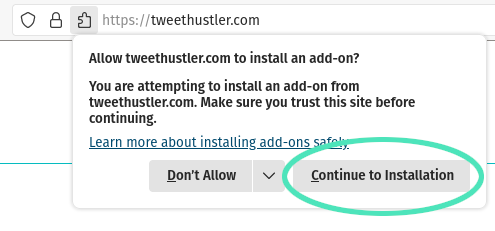
1. Click on 'Continue to Installation'
2. Click on 'Add'

3. Click on 'Okay'

4. Voila! You'll find the TweetHustler icon in the upper right corner of your firefox.
Click on it to open TweetHustler. Instructions on how to set things up are inside.